
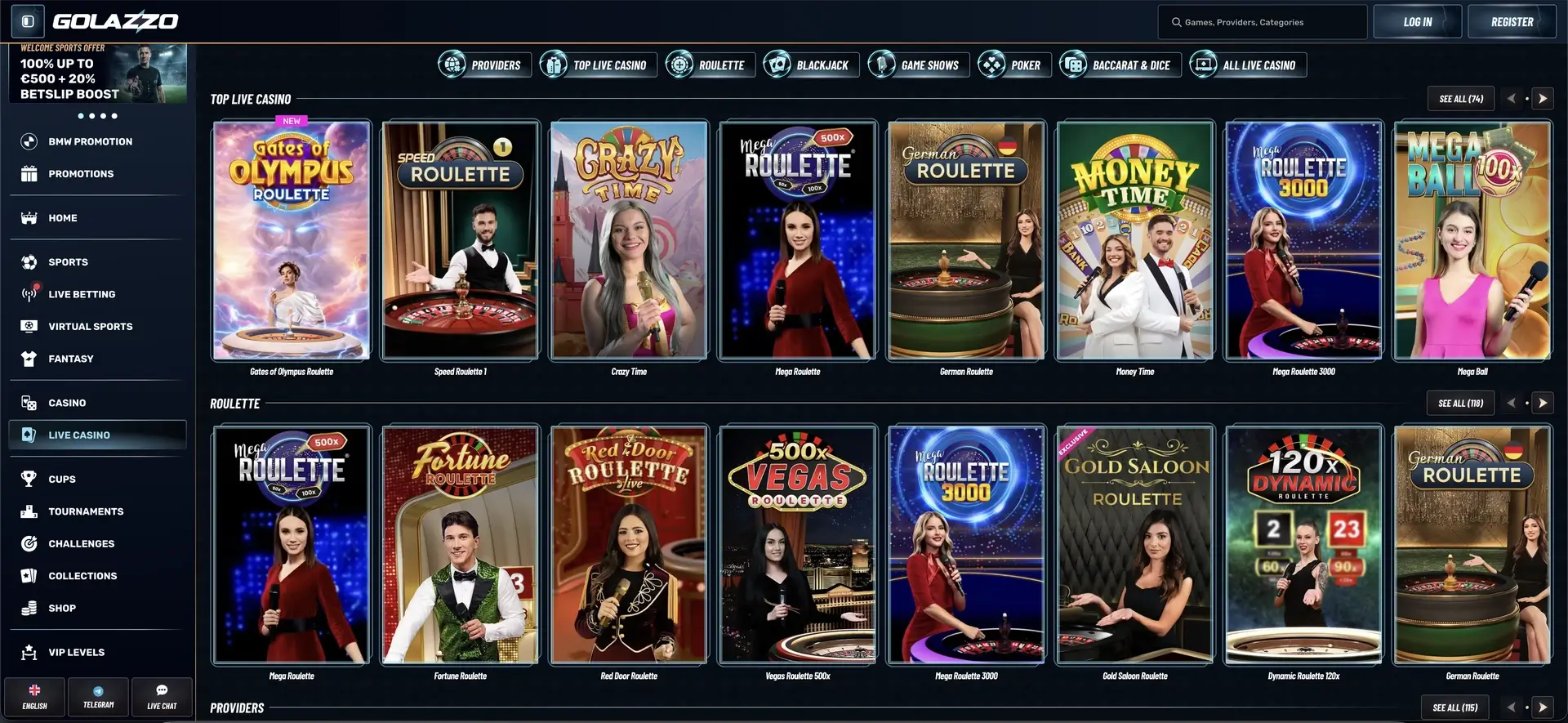
There is currently no native Golazzo Casino app to download from the App Store or Google Play — and one is not really necessary. Golazzo runs as a fully optimized mobile web app directly in the browser on iPhone, iPad, Android smartphones and tablets. Players open the website, sign in and access the full library of more than 13,000 titles, the cashier in Canadian dollars, the bonus section, Coins, Cups and support without installing anything. For faster access, the site can be saved to the Home Screen as a PWA and then opened much like a regular app. This section explains how to use Golazzo on mobile, how to add it to the Home Screen on iOS and Android, and which features and payment options are available on mobile at Golazzo Casino.
Because the web app is updated on the server side, there is no need to install new versions manually. This keeps the mobile experience up to date automatically.
Golazzo Mobile at a Glance
The overview below summarizes what the mobile version of Golazzo Casino offers and what to know when accessing it from a smartphone or tablet.
| Feature | Details |
|---|---|
| Download required | No — runs entirely in the browser |
| iOS access | Safari, Chrome or Firefox |
| Android access | Chrome, Firefox or any modern browser |
| Home Screen shortcut | Available as a PWA on iOS and Android |
| Game selection | More than 13,000 titles — the same selection as desktop |
| Cashier | Deposits and withdrawals in Canadian dollars available on mobile |
| Bonus section | All promotions, Coins, Cups and Collections |
| Security | SSL encryption — the same protection as desktop |
| Updates | Automatic, with no manual updates required |
Is There a Golazzo Casino App for Android or iOS?
No. Golazzo does not currently offer a standalone downloadable app. Instead, it uses a mobile web app that provides the same core functions as the desktop site through a browser. The advantage is that it takes up no storage space, requires no installation and does not need app updates — access is always through the current version of the website.
How to Use Golazzo on a Smartphone
Getting started on a phone takes only a few steps and is very similar to using the desktop site. All you need is a modern browser and an internet connection.
- Open the Golazzo website in your mobile browser.
- Sign in or create a new account.
- Choose a game using search or the game categories.
- Open the cashier, select a payment method and check for an eligible bonus.
Add Golazzo to Your Home Screen
To open Golazzo more like a regular app, you can save the site as a shortcut on your Home Screen. The steps are slightly different on iOS and Android.
iOS (Safari)
On iPhone and iPad, the shortcut is added through Safari's Share menu.
- Open the Golazzo website in Safari.
- Tap the Share icon (the square with an upward arrow).
- Select “Add to Home Screen.”
- Confirm the name and tap “Add.”
Android (Chrome)
On Android devices, the shortcut is added through the browser menu.
- Open the Golazzo website in Chrome.
- Tap the three-dot menu in the top-right corner.
- Select “Add to Home screen.”
- Confirm — the icon will appear on your Home Screen.
Features in the Mobile Version
The mobile web app mirrors the full range of core features available on desktop. All key sections can be reached directly from the menu.
- Casino: more than 13,000 slots, live tables, crash games and table games.
- Sportsbook: live betting, Bet Builder and Cash Out.
- Bonus section: welcome package, promotions and free bets.
- Rewards: Coins, Cups, Collections, Shop and tournaments.
- Cashier: deposits and withdrawals in Canadian dollars.
- Support: live chat, email and Telegram.
Mobile Payments at Golazzo
Deposits and withdrawals can be handled entirely from a mobile device. The limits are the same as in the desktop cashier; cards and Flexepin are used for deposits only.
| Method | Deposit | Withdrawal |
|---|---|---|
| Visa / Mastercard / Google Pay | From C$15 | — |
| Revolut / MiFinity | From C$15 | C$30 – C$3,750 |
| Jeton | C$25 – C$1,500 | C$30 – C$3,000 |
| Bank transfer | — | C$30 – C$1,500 |
| Crypto (BTC, ETH, USDT and others) | C$75 – C$75,000 | C$75 – C$7,500 |
Security in the Mobile Version
The mobile web app uses the same security measures as the desktop site. Connections are SSL-encrypted, and account access can be further protected with a strong, unique password.
- SSL encryption for transactions.
- KYC verification before the first withdrawal.
- Responsible gambling tools such as limits, time-outs and self-exclusion.
Frequently Asked Questions About the Golazzo Casino App
Is There a Golazzo Casino App to Download?
No. Golazzo does not offer a native app in the App Store or Google Play. It runs as a mobile web app directly in the browser and can be saved to the Home Screen as a PWA.
How Do I Install Golazzo on My Home Screen?
In Safari on iOS, use the Share menu and select “Add to Home Screen.” In Chrome on Android, use the menu and select “Add to Home screen.” Golazzo can then be opened much like an app.
Are All Games Available on Mobile?
Yes. The mobile version provides the same selection of more than 13,000 titles as the desktop site, including live casino games and sports betting.
Can I Deposit and Withdraw on Mobile?
Yes. The full cashier is available on mobile. Deposits can be made using options such as cards, Google Pay, Revolut, MiFinity, Jeton, Flexepin and crypto; withdrawals are available through bank transfer, Jeton, MiFinity and crypto.
Is the Mobile Version Secure?
Yes. The same security standards apply as on desktop, including SSL encryption and KYC verification before the first withdrawal.
Do I Need to Install Updates?
No. The web app updates automatically, so there are no manual App Store or Google Play updates to install.